
Salon booking software
A booking site as polished as your work.
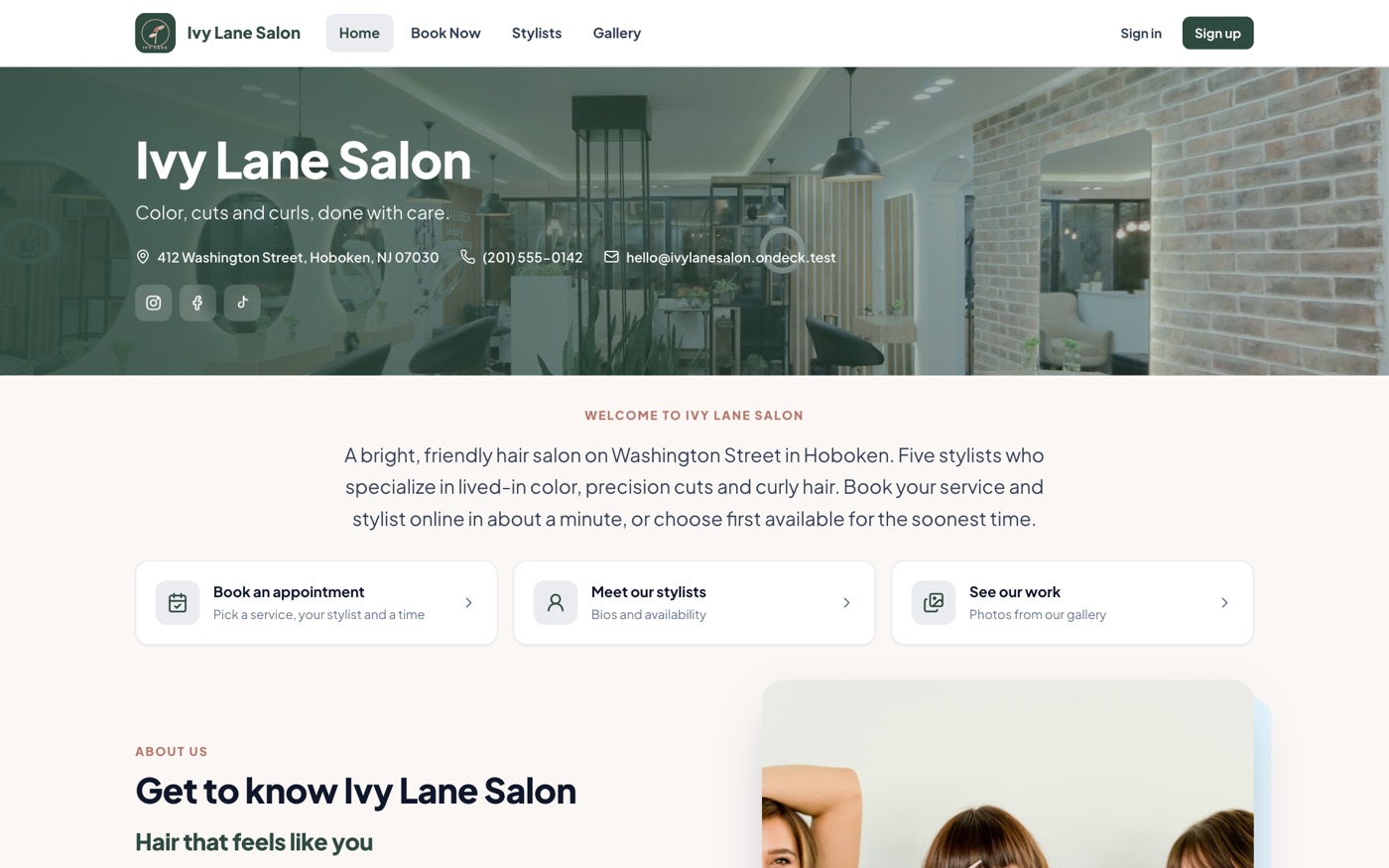
Clients book the right service with the right stylist, from a quick bang trim to a three-hour balayage, on your own branded site. No marketplace, no commissions, no competing salons next to your name.
14 days free · No credit card needed · From $20 a month · See pricing
Sound familiar?
Running bookings by text and DM doesn't scale.
Booking between clients
Calls and DMs pile up while you're mid-color, and evenings go to answering them.
The wrong service, the wrong length
A "quick color" that's really a full highlight throws off the whole afternoon.
Paying a marketplace for your own clients
Marketplace apps charge commissions on new clients and list other salons right beside you.
How clients book
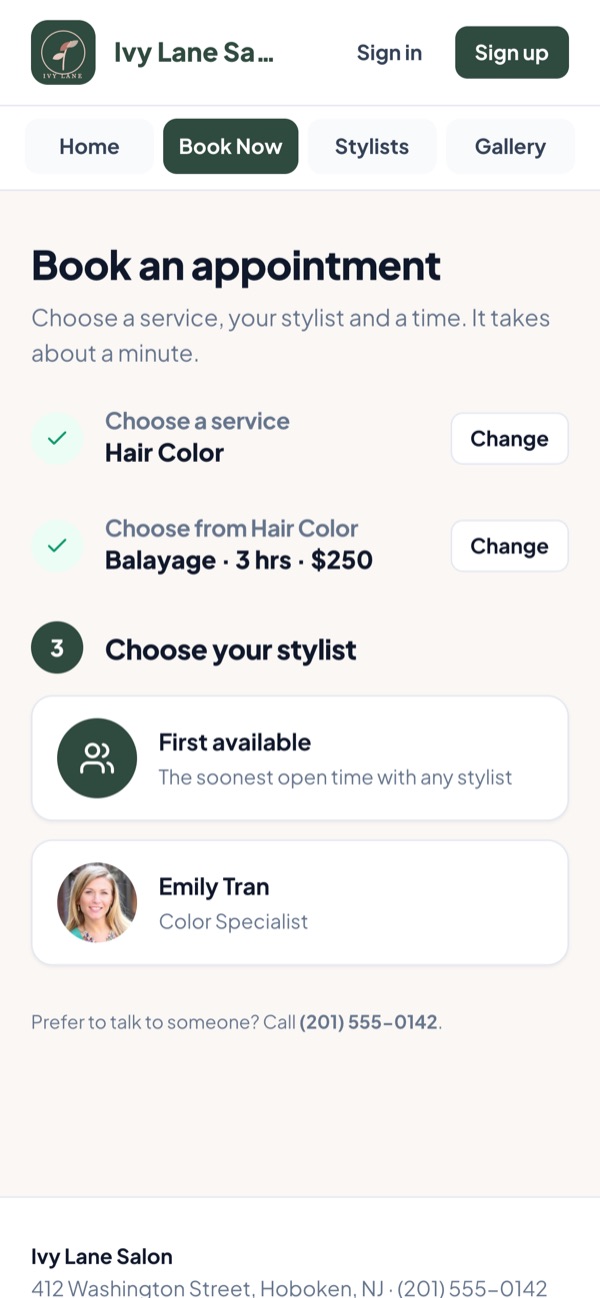
The right service, with the right stylist.
- 1
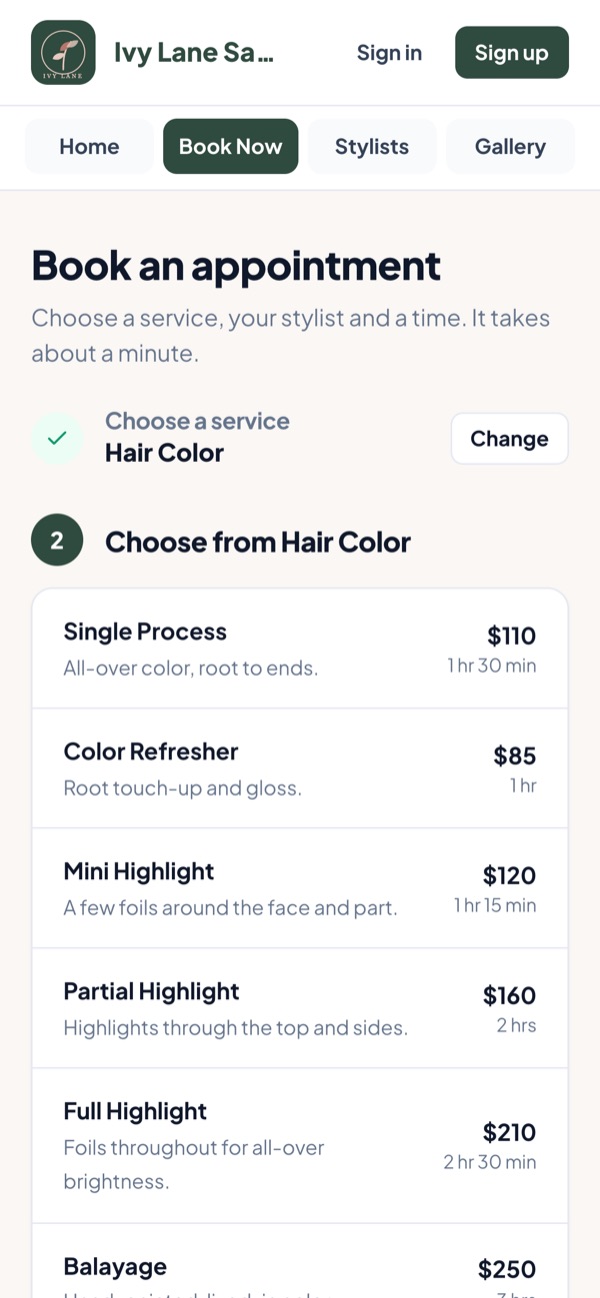
Choose the service
Cuts, color, styling and treatments, each with its price and how long it takes.
- 2
Pick a stylist
Only stylists who do that service are offered, or the client takes first available.
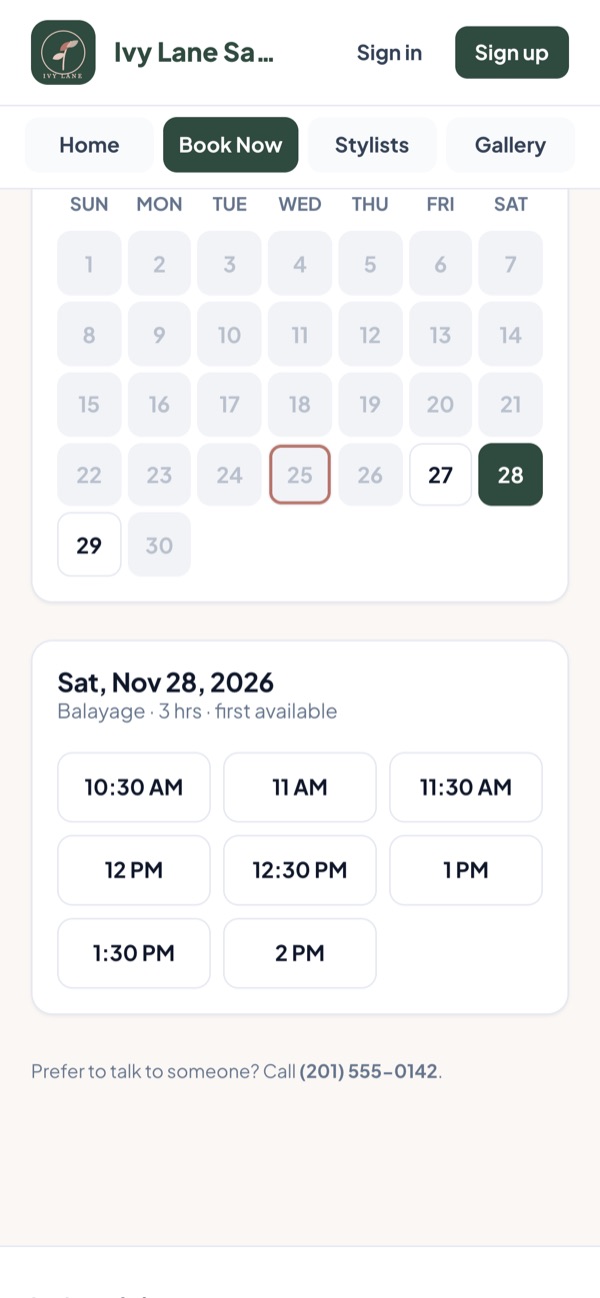
- 3
Confirmed and reminded
A confirmation with a calendar invite, and a reminder the day before.
Your admin
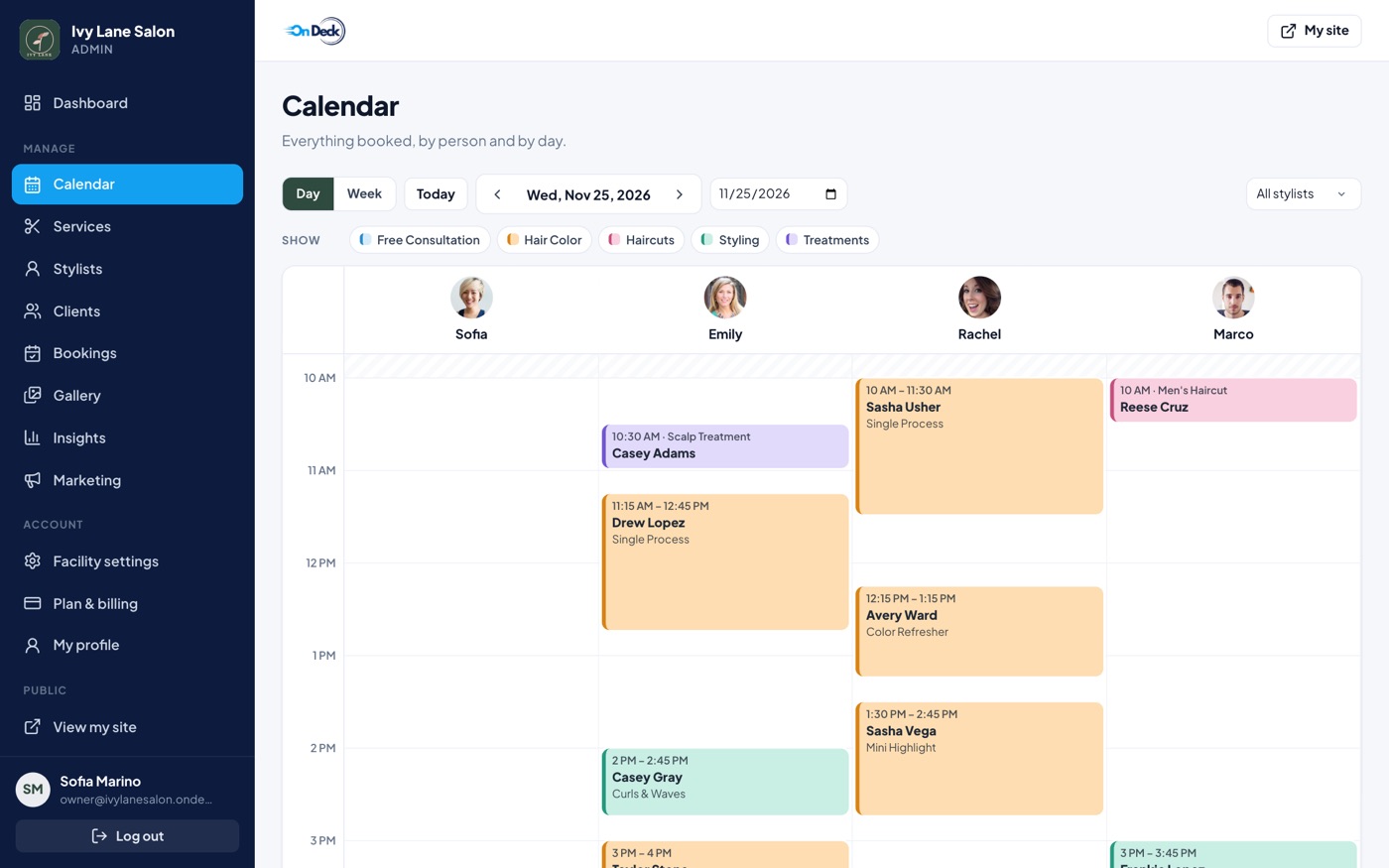
Every stylist's day, at a glance.
- A column per stylist. Long color appointments and quick trims side by side, with each stylist's hours shaded.
- Each stylist sees their own day. On their phone, with client notes like "bringing a photo" or "patch test done".
- Buffers built in. Cleanup time after each appointment, so the next client isn't kept waiting.
Insights
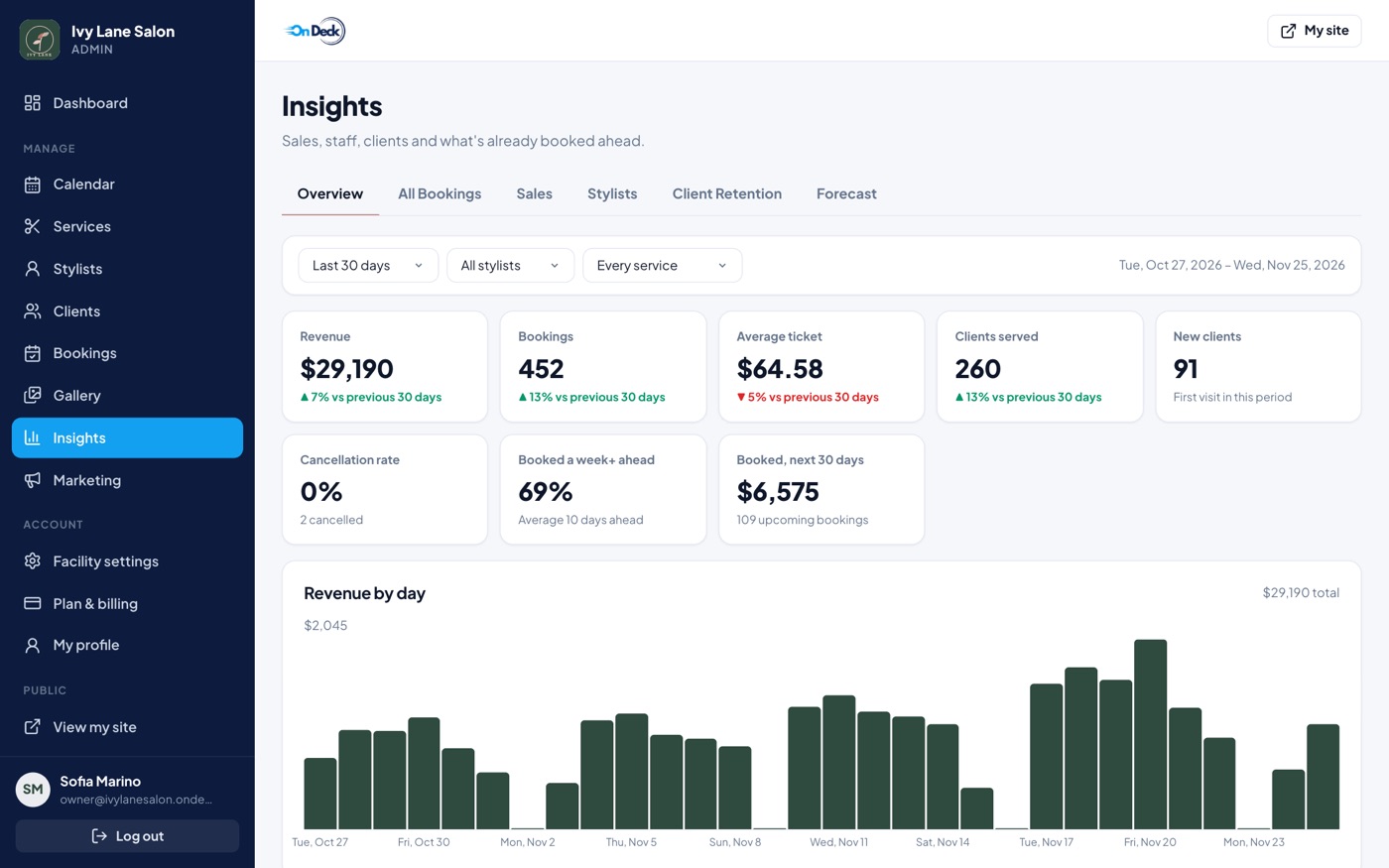
See what's growing your salon.
Revenue by service, each stylist's productivity and rebooking, and the clients who haven't been back in a while.
Revenue, bookings and new clients
The last 30 days against the 30 before, with what's already booked ahead.
- Revenue and average ticket
- New and returning clients
- Booked a week or more ahead
Gallery
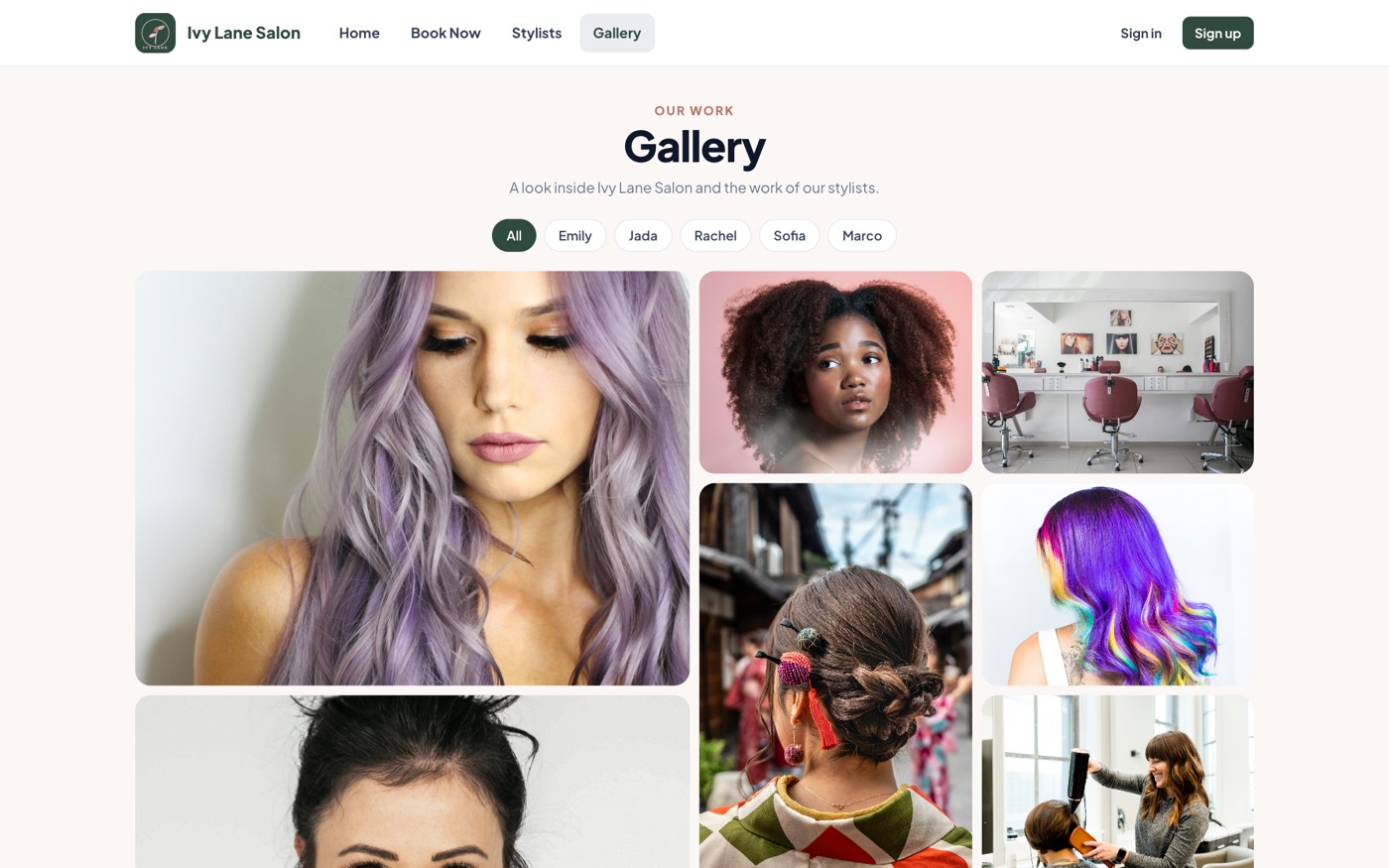
Show off the work.
A gallery in your colors, with each stylist's color, cuts and curls. Stylists add photos from their phones, and their work shows on their profile too.
- Filter by stylist
- You choose who can post
- Turn it on or off any time
Online payments
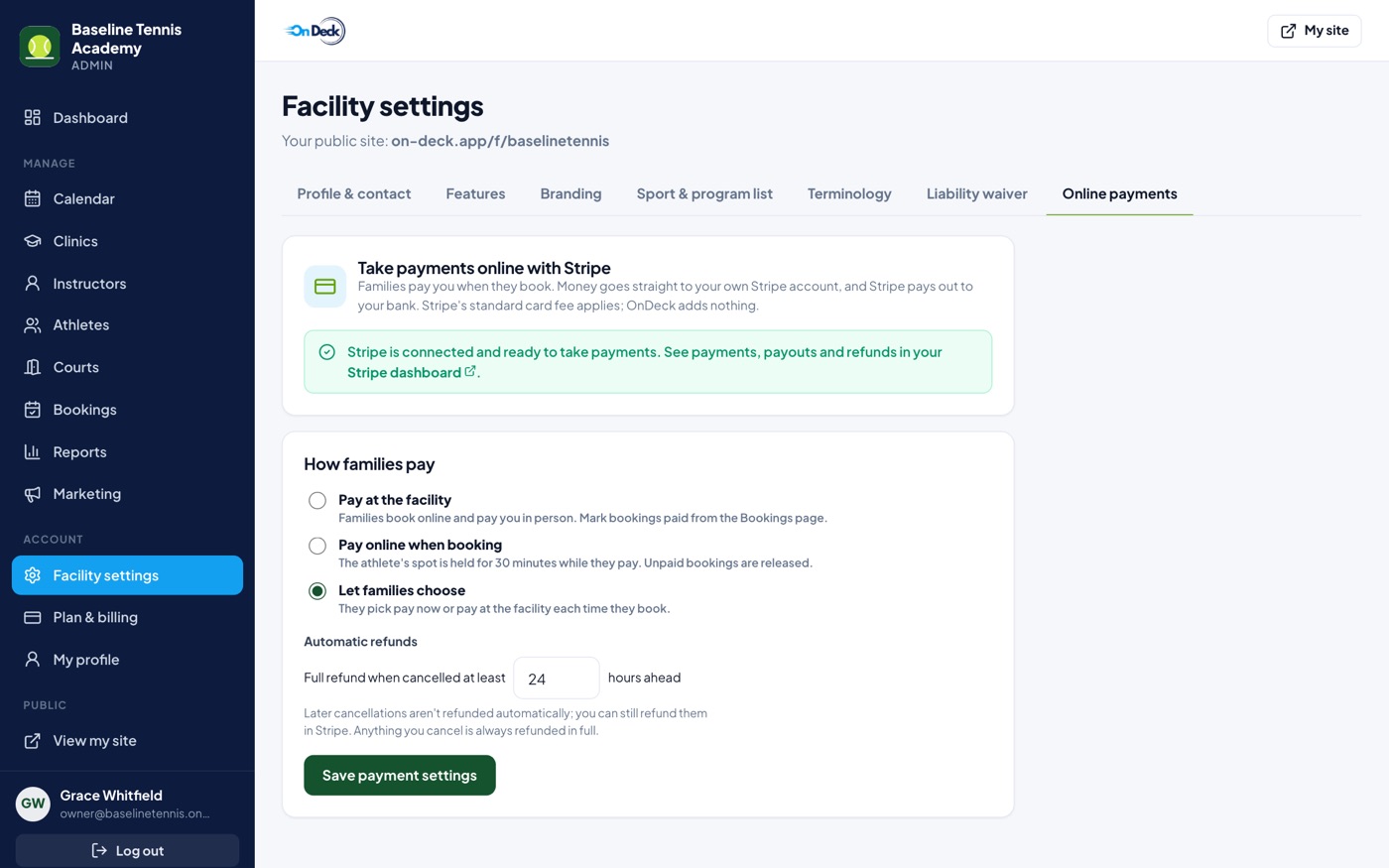
Paid at booking, or at the chair.
Connect your own Stripe account. Require payment for big color appointments, let clients choose, or keep taking payment in the salon. OnDeck adds no fee.
- Automatic refunds inside your cancellation window
- Cash and card marked paid in a tap
- Money goes straight to you
What you get
Everything in one place.
Services by stylist
Each service lists who does it, with its own price and length.
First available
Or the stylist they always see.
Stylist calendars
A column per stylist, and each stylist's day on their phone.
Buffers
Cleanup time after every appointment.
Reminders
Email confirmations and reminders; texts on higher plans.
Online payments
Into your Stripe account, with no OnDeck fee.
Client agreements
Patch tests, late policy and consent, agreed on every booking.
Gallery
Your stylists' best work.
Insights
Revenue, stylist productivity and client retention.
Client lists
Recent, lapsed and new clients for Mailchimp.
Families
Parents book kids' cuts from the same account.
Your brand
Your logo, colors and photos on your own address.
Try it
Book something at Ivy Lane Salon.
A live demo with real-looking classes, staff and six months of bookings. Book as a client, or sign in as the owner to see the admin and Insights.
Questions
Frequently asked questions
Can each stylist have different services?
Yes. Every service lists the stylists who do it, so a balayage is only offered with your color specialists.
Does OnDeck charge commission on new clients?
No. There's no marketplace and no commission. You pay a flat monthly price, from $20, and online payments go to your own Stripe account with no OnDeck fee.
Can clients book long color appointments?
Yes. Each service has its own length, from 15 minutes to several hours, and OnDeck only offers times when that stylist has room.
Can stylists see their own schedule?
Yes. Each stylist gets a login and their own calendar on their phone.
Can I take a deposit?
You can require full payment online when clients book, let them choose, or take payment in the salon. Partial deposits aren't available yet.
Simple pricing
Flat monthly pricing. No commissions.
Every plan includes unlimited bookings. Try any plan free for 14 days, no credit card needed.
Rookie
For a solo coach or a small shop getting started.
- Up to 2 instructors
- Up to 2 rentable spaces
- Unlimited clinics, classes and bookings
- Your own branded booking site
- Email confirmations, day-before reminders and calendar invites
- Waitlists for full clinics
- Online liability waivers
- Online payments, with no OnDeck fee
All-Star
For a busy facility with a full staff.
- Everything in Rookie
- Up to 10 instructors
- Up to 10 rentable spaces
- Text message confirmations, reminders and cancellations
Hall of Fame
For large and multi-sport facilities.
- Everything in All-Star
- Unlimited instructors and spaces
- Remove “Powered by OnDeck” from your site
- Your own domain name, set up for you
- Priority support
Prices in US dollars. Change plans or cancel anytime. Compare plans and questions →
One app, many businesses
OnDeck works for these businesses too.
Get started
Be taking bookings online this week.
Try any plan free for 14 days. Set up your site in an afternoon and share your link.
Questions? Email support@on-deck.app